
Step 1: Install WooRanker
- Upload Plugin
- Go to
Plugins → Add New → Upload Plugin - Choose your WooRanker ZIP file
- Click
Install Now→Activate
- Go to
🎬 GIF Idea: 5-second clip showing the plugin upload process from WordPress admin
Step 2: Activate Your License
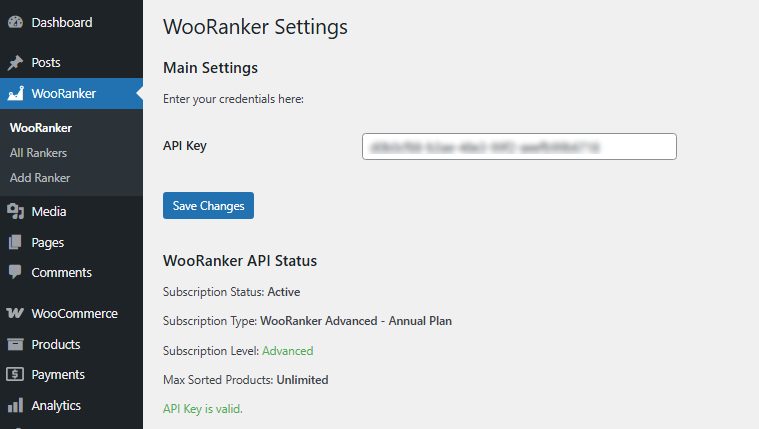
- Navigate to Settings
- Go to
WooRanker → WooRankerin your admin menu
- Go to
- Enter License Key
- Paste your API key in the provided field
- Click
Save Changes
- Verify Activation
- Look for green “API Key is valid” message
- Check your subscription status shows “Active”
💡 Pro Tip: Can’t find your license key? Check your purchase confirmation email or contact support.

